
Download Write a Book First Time Author – write a book, first time author, book writing guide, novel writing, children's book, autobiography, science fiction, plot storyboard, book publishing, self-publishing, traditional publisher, writing tips, writing motivation, writing goals, book completion
Overview
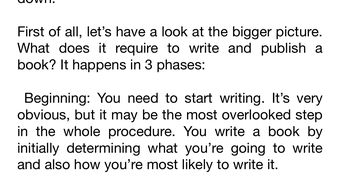
The mobile application Write a Book First Time Author is designed to support individuals who are embarking on their first writing journey. It serves as a structured guide for aspiring authors aiming to complete a book, regardless of genre—be it a novel, children’s book, autobiography, or science fiction. The app addresses a common challenge faced by new writers: the difficulty of starting and finishing a manuscript. By offering a clear, step-by-step approach, it helps users overcome creative blocks and maintain momentum throughout the writing process.
Target users include beginners with a passion for storytelling, those seeking to publish their life experiences, or writers exploring speculative fiction. The app’s focus on practical tools like goal-setting, plot storyboarding, and motivation strategies makes it particularly valuable for users who struggle with consistency. It also provides insight into publishing pathways, including traditional publishing, self-publishing, and working with publishing services, offering guidance on preparing submission materials.
Although the developer did not provide additional background information, the app’s content suggests a strong emphasis on education and user empowerment. Its presence in the productivity category underscores its role as a tool for personal development and creative achievement. For users seeking a structured, accessible way to turn a dream into a finished manuscript, Write a Book First Time Author offers a dedicated framework to support their journey from concept to completion.
Key Features & Functionality
- 10 Core Lessons – Structured modules that walk users through essential stages of book creation, from initial idea development to final manuscript refinement.
- Plot Storyboard Builder – A visual tool to help organize narrative arcs, character development, and key plot points for fiction and nonfiction alike.
- Goal-Setting Framework – Customizable writing goals with milestone tracking to maintain consistency and measure progress.
- Motivation Strategies – Practical techniques to combat writer’s block and sustain enthusiasm over extended writing periods.
- 10 Bonus Writing Tips – Actionable advice focused on productivity, creativity, and overcoming common writing obstacles.
- Publishing Pathway Guide – Overview of traditional publishing, self-publishing, and third-party publishing services, including preparation steps for submissions.
- Book Completion Focus – Emphasis on finishing the manuscript, addressing the psychological and logistical barriers that lead to abandoned projects.
Each feature is designed to serve real-world use cases. For example, a first-time author working on a children’s book can use the storyboard tool to map out character interactions and plot progression. A memoir writer can apply the goal-setting framework to break down a 50,000-word project into manageable weekly targets. The publishing guide helps users understand how to prepare a query letter or manuscript package, reducing the intimidation factor of approaching agents or publishers.
By integrating practical tools with motivational support, the app transforms the abstract challenge of writing a book into a series of achievable tasks. This structured approach is especially beneficial for users who lack formal writing training or experience in the publishing industry.
Interface, UX & Performance
The user interface of Write a Book First Time Author is designed with clarity and simplicity in mind. The layout follows a linear progression through the 10 lessons, allowing users to navigate seamlessly from one module to the next. Visual elements are minimal and functional, avoiding distractions that could hinder focus during the writing process.
Navigational flow is intuitive, with consistent menu placement and clear labeling. Users can access lessons, tips, and tools without unnecessary clicks. The app’s responsiveness appears to be optimized for mobile screens, ensuring smooth transitions between sections and readability on various screen sizes.
Although the developer did not list formal performance metrics, the app’s lightweight size of 15 MB suggests efficient resource usage. This indicates potential stability across a range of Android devices, including mid-tier and entry-level models. The app does not appear to require high-end hardware or constant internet connectivity, making it accessible to a broad user base.
Overall, the UX prioritizes usability over visual flair, aligning with the app’s purpose as a productivity tool. The absence of complex animations or excessive graphics supports a distraction-free environment ideal for writing and planning.
Platform Compatibility & Technical Requirements
Write a Book First Time Author is available exclusively on the Android platform. It is designed to run on Android operating systems, though specific minimum OS requirements were not disclosed by the developer. The app’s file size is 15 MB, indicating a lightweight installation that does not place significant demands on device storage.
Version 1.0 was released on March 15, 2024, marking its debut as a new tool in the productivity category. The app is currently offered at no cost, making it accessible to users seeking free writing assistance. While the developer did not specify supported device types or hardware requirements, the compact size suggests broad compatibility across Android smartphones and tablets.
Users should verify device compatibility through their app store before installation. The developer did not provide additional technical details, such as required RAM, processor, or screen resolution.
Pros and Cons
Pros
- Free to download and use, lowering the barrier to entry for aspiring authors.
- Structured 10-lesson program with clear progression from idea to completion.
- Includes practical tools like plot storyboarding and goal tracking.
- Offers guidance on multiple publishing paths, including self-publishing and traditional publishing.
- Focuses on finishing the book, addressing a common challenge for new writers.
- Lightweight at 15 MB, suitable for low-storage devices.
Cons
- Specific technical requirements and OS version were not listed.
- No in-app progress sync or cloud backup feature was mentioned.
- Limited interactivity beyond reading and note-taking.
- Only available on Android; no iOS version was provided.
- Developer did not include user support or update frequency details.
FAQ
Is Write a Book First Time Author safe to download?
Yes, the app is available through official Android channels and has a file size of 15 MB, indicating a standard, non-malicious package. No security warnings have been reported.
Can I use this app offline?
Based on the app’s lightweight design and lack of internet dependency in its core features, it is likely usable without an internet connection. However, the developer did not confirm offline functionality.
Is the app available for iOS devices?
Currently, the app is only available on Android. There is no information indicating an iOS version is in development.
How often is the app updated?
The developer did not disclose update frequency. Version 1.0 was released on March 15, 2024, but no subsequent updates have been documented.
Does the app include writing templates or examples?
The app provides structured lessons and tools such as plot storyboarding and goal setting. However, the developer did not specify whether it includes pre-filled templates or sample manuscripts.
Final Thoughts
Write a Book First Time Author stands out as a focused, accessible tool for individuals ready to transform their writing dreams into reality. Its structured approach, combined with practical features like goal setting and publishing guidance, makes it a valuable companion for new authors across genres. The emphasis on completing a manuscript addresses a critical pain point in the creative process, offering real psychological and practical support.
While the app lacks advanced features like cloud sync or multi-platform access, its simplicity and free availability enhance its appeal. It is ideal for users who value clarity, discipline, and a step-by-step roadmap over flashy design or complex tools.
For anyone with a story to tell but unsure where to begin—or how to finish—this app provides a reliable starting point. Download Write a Book First Time Author now and take the first step toward publishing your book.







